Posts

Showing posts with the label Expotron

Creating New Life with the Expotron and Max, Part 6: Animation
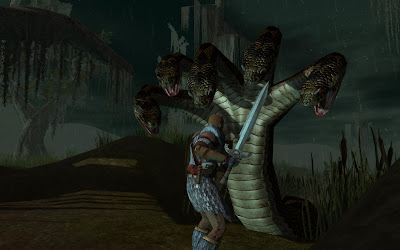
Image
This is Part 6 of my tutorial on bringing new creatures to NWN2 using 3DS Max and the Expotron. Part 1 of this series may be found  here . This blog post is an introduction to animation of NWN2 creatures. To keep the tutorial as broad as possible, I won’t cover the use of intermediate techniques that involve IK solvers. Different creatures may need different solvers to animate them properly, and it would take separate tutorials to adequately tackle each of them. Animation is a deep and complex topic that goes well beyond the mechanics of using 3D software. Readers who want to advance their animation skills may use this blog post as a starting point but should seek deeper knowledge elsewhere, especially as I’m no expert on it. Before proceeding, you should properly weight the vertices of your creature’s meshes.  I’ve already covered vertex weighting elsewhere in my blog , so read it first if you need to brush up on it. Basic Concepts The technique that we will d...

Creating New Life with the Expotron and Max, Part 5: Rigging and Exporting Creature Models

Image
This is Part 5 of my tutorial on bringing new creatures to NWN2 using 3DS Max and the Expotron. Part 1 of this series may be found here . With the preliminaries out of the way, we can now proceed with the tutorial proper. Fire up 3DS Max, load your creature model, and follow the instructions below. Make sure that the pivot of each mesh is centered at world coordinate (0,0,0). This pivot is what defines the creature’s center, which NWN2 uses to calculate distances between objects. Assuming you haven’t rigged the mesh yet, click the Hierarchy panel (the one whose icon looks like an organizational chart on the upper right side of the screen) then click the button “Affect Pivot Only.” Next, click  the Select and Move tool, and in the Absolute Mode Transform Type-In (the three input boxes at the bottom of the screen), set the X, Y, and Z values to 0,0,0. Toggle the “Affect Pivot Only” button when you’re done. To rig the mesh, we are first going to make its skeleton. I...